
Login to your Med-Challenger account. If you don't have an account, it's easy to sign up.
|
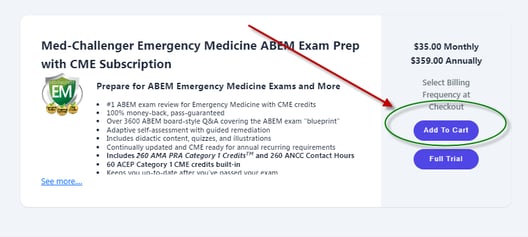
Choose the product(s) you want in our store and select Add To Cart. |
|
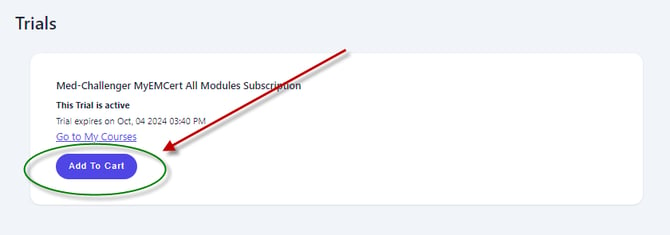
If you've got an active or expired trial, you can also Add To Cart on your trials page.
|
|
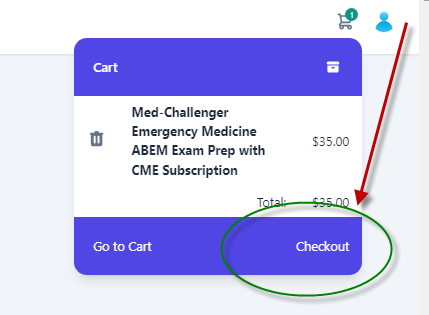
Open your cart (in the upper left corner of your screen) and select Checkout.
|
|
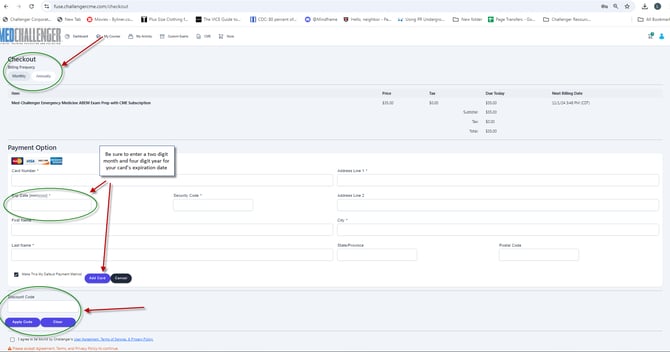
On the Checkout screen: Choose a frequency of Monthly or Annual (not applicable if you're making a Lifetime purchase). Enter your credit card information and select Add Card. If you've already got a card on file, you'll have the option to select it for this purchase. We recommend that you set a default card for upcoming autorenewals. If you have a discount code, enter it and choose Apply Code. Check the "I agree" box and click Place Order. You'll have immediate access to your product and will receive a receipt by email from donotreply@challengercorporation.com. Be sure to add donotreply@challengercorporation.com to your safe sender list to make sure you receive purchase related emails.
|
FAQ
How can I create a free Med-Challenger account?
How much does Med-Challenger cost?
Q. Can I talk to a human about your products and my options?
Q. I made a previous purchase - how can I find out if it's still active or how to reactivate it?
A. The same answer applies to both of these questions:) Our Memphis based team is happy to help - we're here from 8 AM to 5 PM CST Monday through Friday. Call us at 1-800-676-0822 Option 1 or contact us via our Support Form.