
|
|
Please check your junk mail folders for the password reset email. Tips for Success: If you’re not sure of your username, before attempting to reset your password, visit the Forgot Username page for advice and assistance. If you have several email accounts, try the most recent one provided to Challenger as your username (usually your email address). |
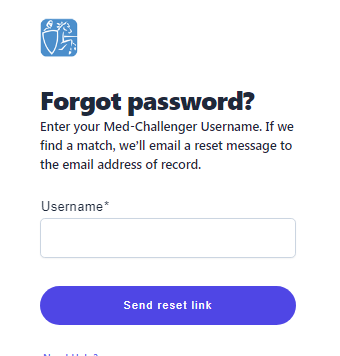
When resetting your password, keep in mind that passwords are case sensitive and must contain:
- at least 8 characters
- at least 1 number (numeral)
- at least 1 uppercase letter
FAQ
I forgot Med-Challenger username.
Can I change my Med-Challenger password?
How do I log in to my Med-Challenger account?
Q: Can I reuse an old password?
A: No. For security, your new password should be different from your previous one.
Q: How long is the reset link valid?
A: Reset links expire after 24 hours. Request a new one if needed. If you request a reset link and don't receive it, please check your junk mail.
A. Our Memphis based team is happy to help - we're here from 8 AM to 5 PM CST Monday through Friday. Call us at 1-800-676-0822 Option 2 or contact us via our Support Form.